Every print shop knows this email. A client pulls their logo straight from their website, attaches it, and asks for 100 shirts printed by Friday. The file is 300 pixels wide. It looked fine as a small icon in a browser tab. Scaled up to fill the chest of a T-shirt, it turns into a blurry, pixelated mess. That single file format issue is one of the most common reasons a bulk order stalls before it ever reaches the press floor.
Integrity Branding has worked with DFW organizations for over 35 years, turning digital logos and concepts into clean, sharp physical prints from our Carrollton facility. Over that time, one pattern has stayed constant: the orders that move fastest and print cleanest start with the right file format.
Vector vs. Raster: Why Math Beats Pixels in Commercial Apparel Printing
Understanding the difference between these two file types is the single most useful thing a client can learn before submitting artwork for a bulk order.
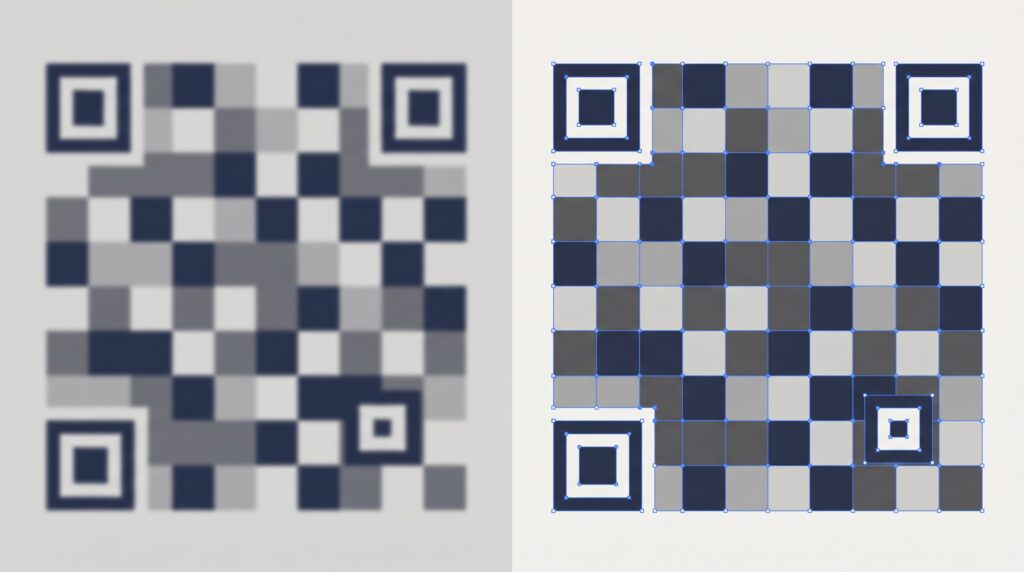
Raster graphics, including .PNG, .JPG, and .GIF files, are built from a fixed grid of pixels. Each pixel holds a specific color, and the image only contains as much detail as the number of pixels allows. This works fine for web use, where images are typically viewed at a fixed size on a screen. The problem starts when that same file gets scaled up. Stretching a raster image beyond its native resolution forces the software to guess at the missing detail, which creates the blurry, jagged, pixelated look that ruins a print. A logo that looked sharp in an email signature at 150 pixels wide falls apart completely when scaled to fill the back of a T-shirt.
Vector graphics, including .AI, .EPS, .PDF, and .SVG files, work on an entirely different principle. Instead of a fixed grid of pixels, vector files store artwork as mathematical paths, lines, and anchor points. Because the shape is defined by math rather than a pixel count, a vector logo can scale infinitely, from a tiny pocket print to a massive back graphic, without any loss in sharpness or clarity. This is why we require vector files for any commercial production run. The math simply doesn’t degrade the way pixel data does.
Preparing Vector Files for Screen Printing and Embroidery Digitizing
Having a vector file is the first step. Preparing it correctly prevents delays once production begins.
Converting fonts to outlines is one of the most overlooked steps in file preparation. When text in a design file uses a specific font, that file often depends on the font being installed on whatever computer opens it next. If our prepress team doesn’t have that exact font installed, the text can shift, substitute to a default font, or distort entirely during press prep. Converting text to outlined vector shapes locks the letterforms in place as permanent artwork, independent of any font file. This single step eliminates one of the most common causes of last-minute proofing surprises.
Specifying spot colors through Pantone matching is the other critical detail for corporate clients with established brand guidelines. Process color, the four-color CMYK blend used in most digital printing, can shift slightly depending on the printer and substrate. PMS Pantone colors are standardized, universal color codes that guarantee an exact match regardless of where or how the color is reproduced. Providing PMS codes alongside a vector file ensures that thread color in an embroidered logo and ink color in a screen-printed design both match a company’s brand standards precisely, run after run.
How Proper Artwork Setup Keeps Your Production Schedule on Track
File preparation isn’t just a technical detail. It’s the single biggest factor in whether a bulk order stays on schedule or falls behind.
Eliminating Back-and-Forth Proofing Delays
When artwork arrives clean, correctly outlined, and properly color-specified, our team can move straight from file review to digital proof approval without multiple rounds of revision requests. Orders that start with print-ready files typically move to the press floor days faster than orders that require file cleanup, font hunting, or color clarification before a proof can even be generated.
In-House Art Support in Carrollton
Not every business owner or event coordinator has a graphic designer on staff, and that’s a normal, common situation. Our local art department works directly with clients to clean up existing logos, recreate artwork in vector format when only a raster file is available, and prepare accurate digitizing files for embroidery. This service keeps the door open for clients whose only available logo file is a low-resolution image pulled from an old business card or a screenshot from a website.
Local Pickup in Carrollton
When artwork moves through proofing quickly and production stays on schedule, combining that efficiency with direct pickup at 1407 Westway Circle removes shipping timelines from the equation entirely. For clients working against a hard event date, that combination, clean files plus local production, is what actually guarantees the deadline gets met.
Getting It Right From the Start With Integrity Branding
The difference between a bulk order that moves smoothly and one that stalls in proofing almost always traces back to the file submitted on day one. Vector paths, outlined fonts, and specified Pantone colors give our screen printing production team everything needed to move straight from proof to press without delay. Raster files, missing fonts, and unspecified colors create exactly the opposite outcome.
Integrity Branding’s in-house art department in Carrollton is here to help close that gap, whether a client arrives with a perfectly prepared vector file or nothing more than a logo pulled from an old email signature. If you have an upcoming bulk order and aren’t sure whether your artwork is print-ready, reach out before you submit. It’s the fastest way to keep your project on schedule.